With Resolve’s Model Federation, data from multiple disciplines combines and updates automatically
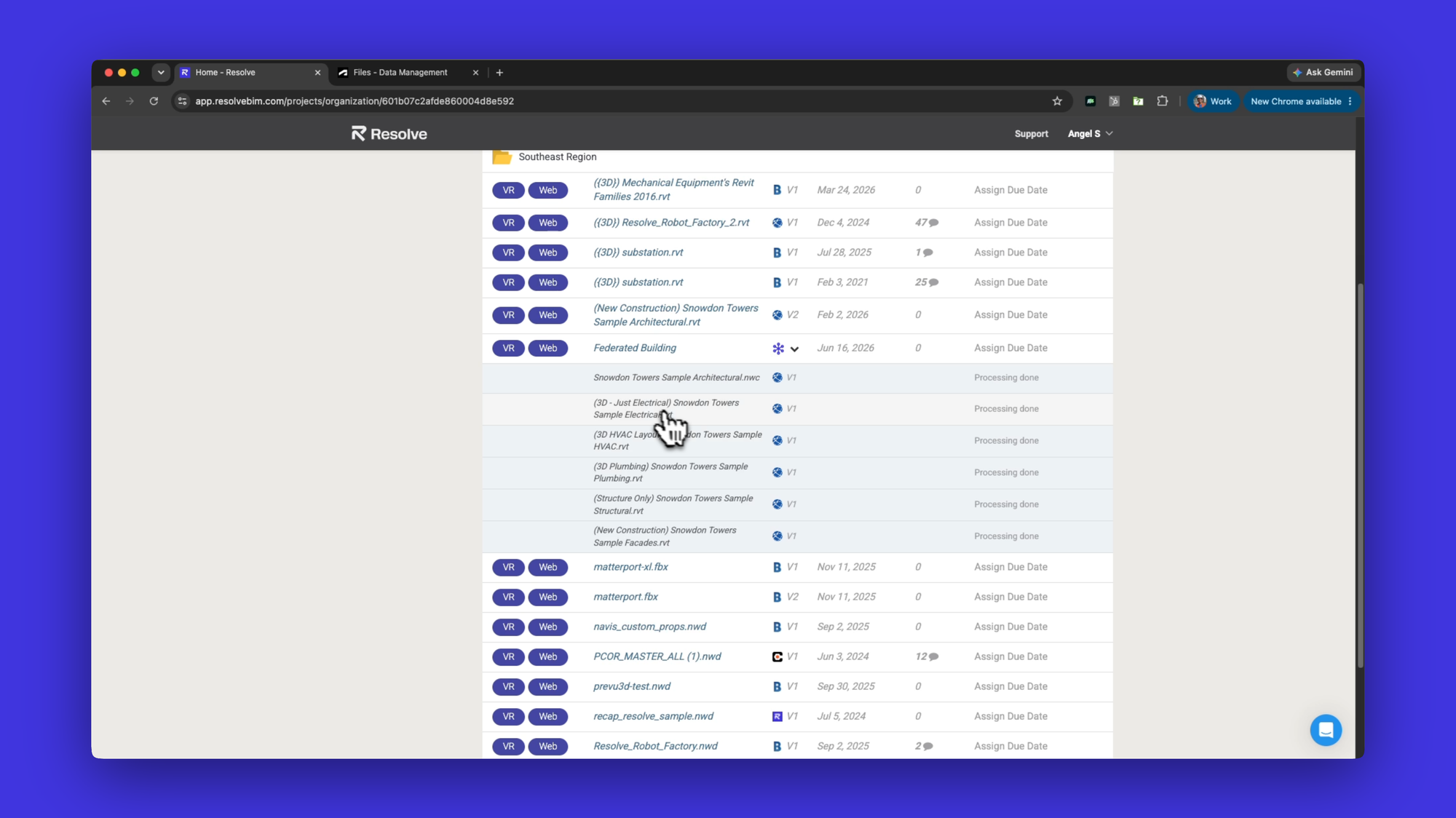
Every discipline can upload their models separately. The federated model updates automatically.

Model Federation works with Autodesk Forma and runs in wireless VR
The cost of reviewing outdated data is real. So is the time it takes to keep a complex MEP federated model current.
Every update means collecting files from each discipline, repacking the container, and uploading before the review can start. Skip that work, and your team makes decisions based on old data.
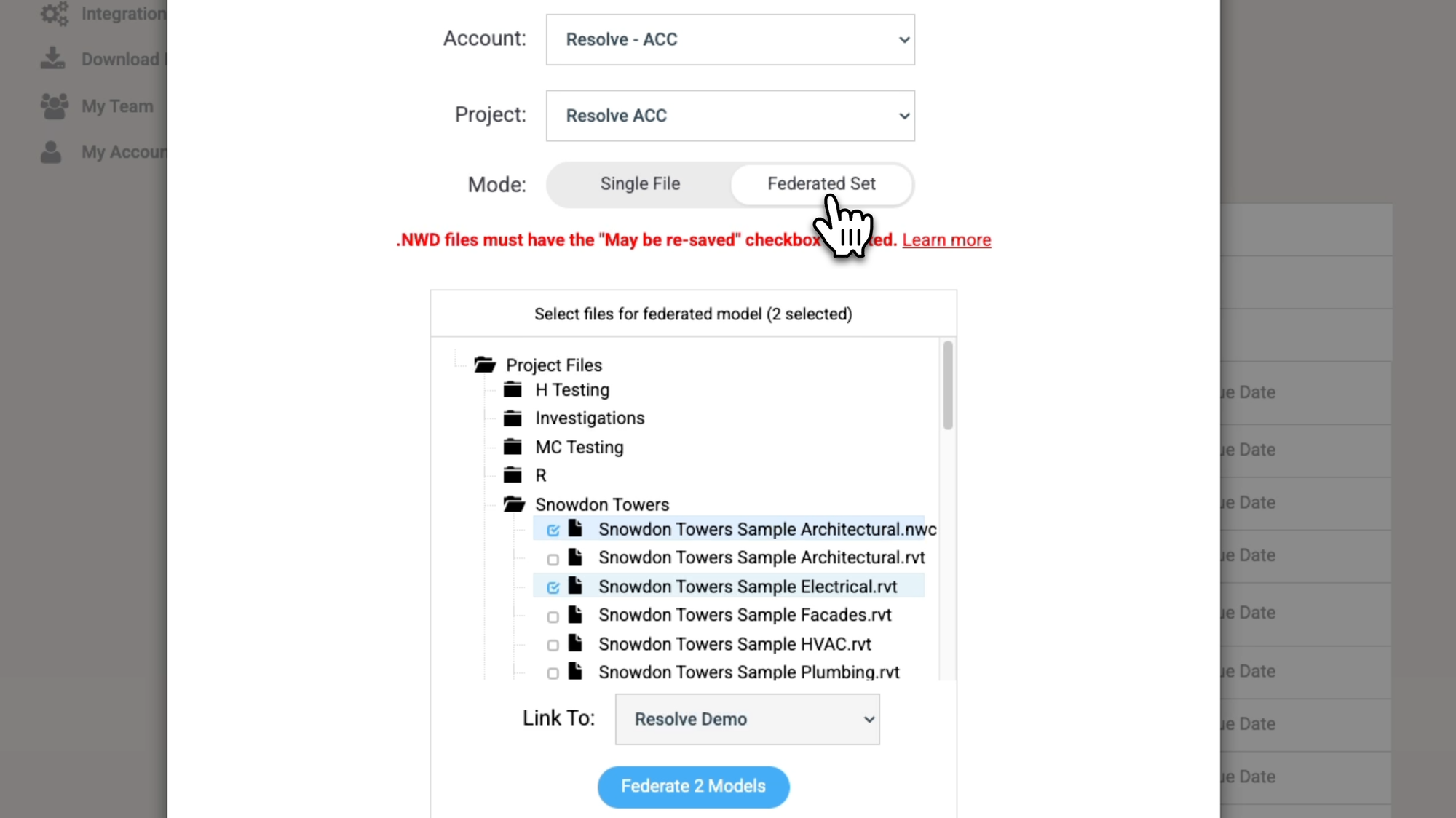
Resolve’s new Model Federation modernizes the process by eliminating the manual, monotonous work of updating individual models.
Now every team and every discipline can upload their models separately, and the federated model updates automatically. If one team is behind, your review doesn't sit waiting on them.
Why does BIM model prep slow down coordination reviews?
Model prep slowed reviews because the whole process historically fell to one person. They became a single point of failure: nothing could move forward until they'd reconciled the latest files. On fast-moving projects with every discipline pushing updates, that cycle never stops.
Your virtual review software needs to show you the latest models without requiring you to manually federate or downsize.
Can you federate NWC, RVT, and IFC files without Navisworks?
Yes, now you can in Resolve. That's exactly what we built.
Model Federation in Resolve lets each discipline push their files directly from Autodesk Forma: NWCs, RVTs, IFCs, reality capture meshes and Resolve handles the combining automatically. No container NWD. No reliance on one person managing the packaging step.
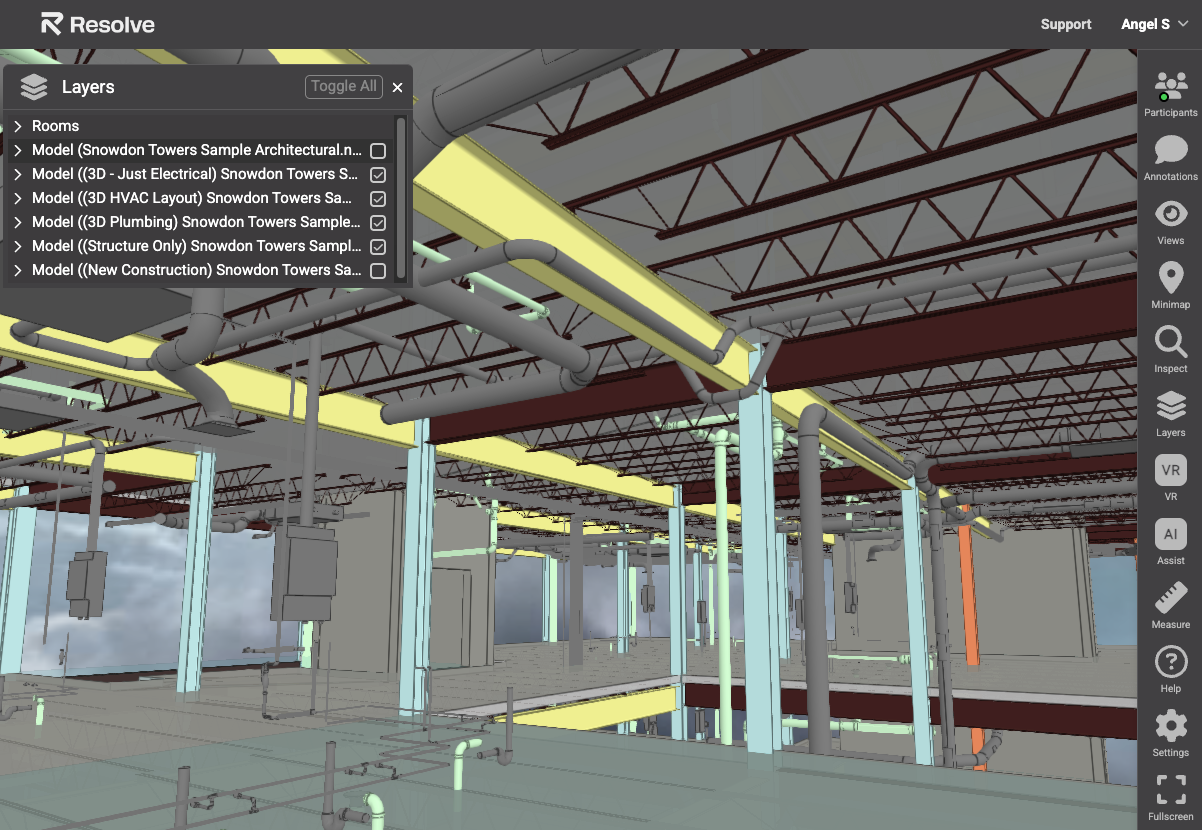
It’s not only the visual data that updates. All individual model properties, including metadata, and layers update as well.
When your team sits down for a review, in VR, on web, or on iPad, they're looking at the current model, not a version that's missing the latest structural update.
Can large federated models perform well in VR?
Making sure that complex, large models perform seamlessly was a prerequisite for us.
Federating large datasets in real time only works if the performance holds up.
That’s what makes this different from other federation workflows: the full, federated, metadata-intact model runs in wireless VR, without a PC and without needing to cut models up beforehand to make them fit.
We built Model Federation on our Wellington Engine, the same engine that handles the large, complex models our customers bring into Resolve today. Federated datasets that span multiple disciplines on a large facility project don't lag. They load and perform the way teams need them to when they're reviewing under schedule pressure.
Integrated with Autodesk
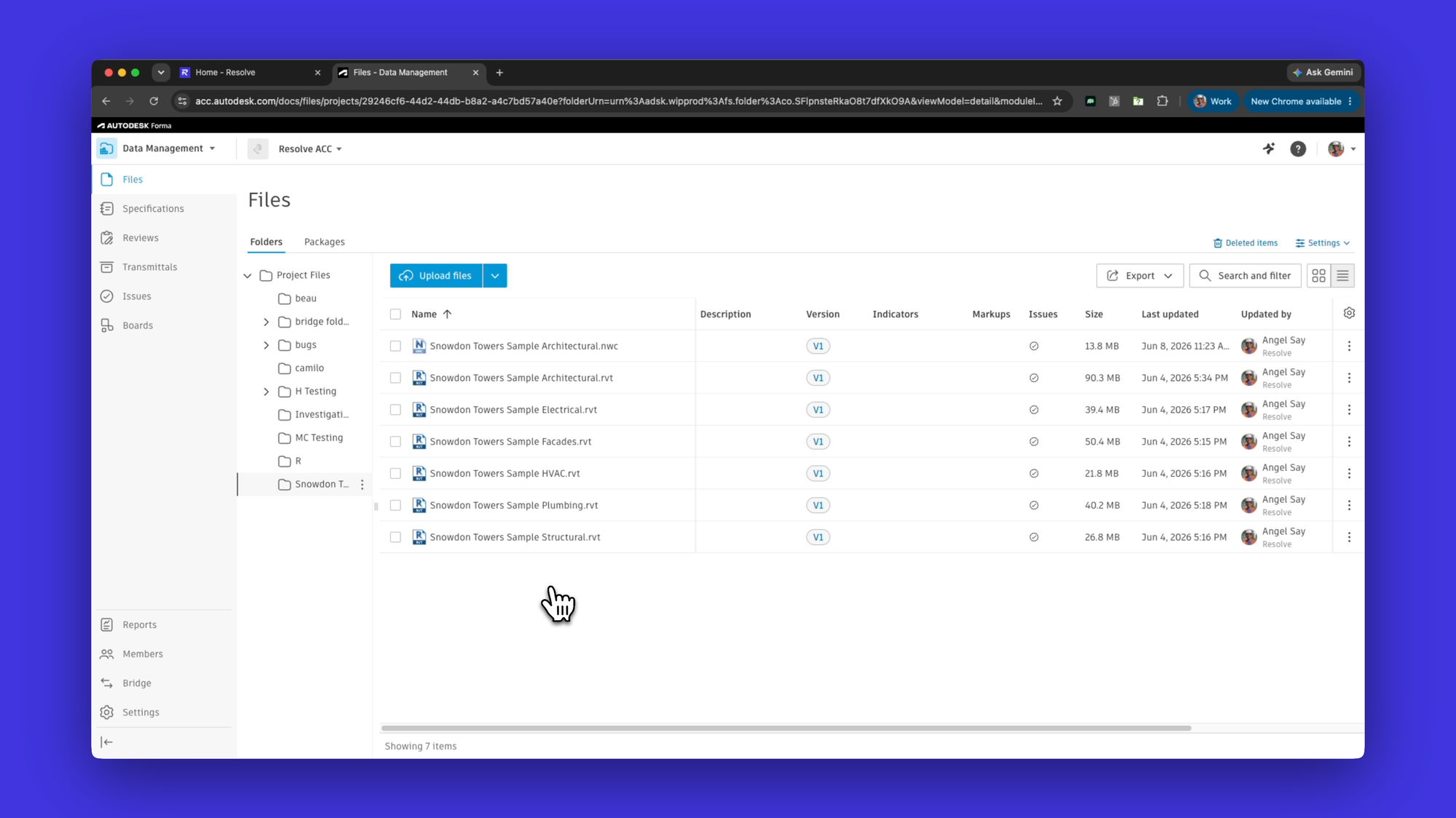
Model Federation works with models hosted on Autodesk Forma. If your teams are already pushing to Autodesk, this fits directly into the workflow you've already built.
You point each discipline to their Autodesk source once, and Resolve does the rest. We meet you where you already work instead of asking you to work somewhere new.
What does real-time model federation mean for VDC teams?
For VDC managers, the model prep burden shifts off your plate. Set up the federation once, point each discipline to their source, and let Resolve handle the rest.
For trade partners and subcontractors, your latest files are in the review without anyone having to chase you down for them.
For project teams overall, the review starts where the project actually is.
The teams building data centers, processing plants, and healthcare facilities are moving faster than ever. Model prep was one of the last places where speed was getting lost. We closed that gap.
Model Federation is available now. If you're already a Resolve customer, log in and explore it or reach out to your customer success contact. If you're new to Resolve, we'd be glad to show you how it fits into your coordination workflow.
Ready to try it out? Request a demo.